Access via DO-1 Device Finder
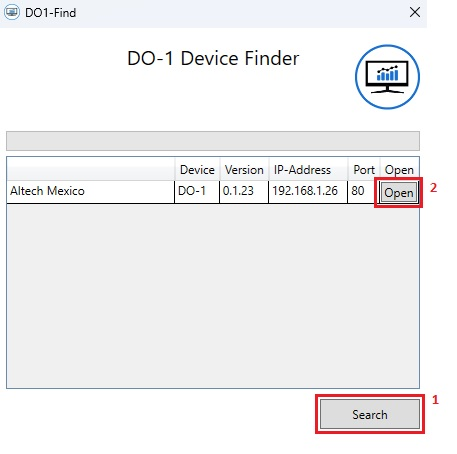
The DO-1 Device Finder program was developed to simplify the search for the DO-1 if the IP address of the device is unknown. To do this, proceed as follows:
The Device Finder desktop program can be downloaded here.
Installation
Download the program and extract the ZIP file. The program can then be started directly from the extracted folder.
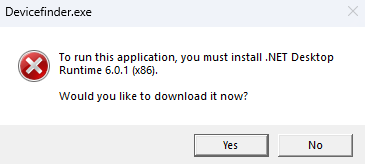
a) Windows Desktop Runtime must first be updated or installed by following the installation process:
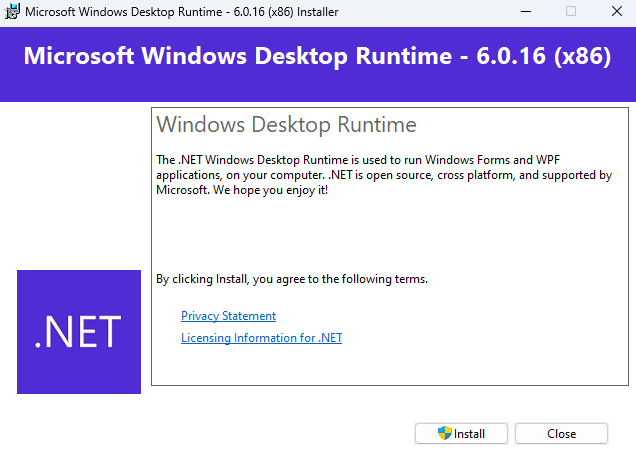
b) After successful installation, the DO-1 Device Finder can be started from the extracted folder.
Usage
To start the program from the extracted folder, double-click on this icon:

-
Click on the button
Searchto start the search process. The details of the devices are then displayed in the list in the program. -
By clicking the function
Openthe default web browser installed on your computer will open and display the DO-1 login page.