Function: Permissions
Settings for assigning users and roles
This chapter explains the user and role creation functions. These offer the option of creating additional users and corresponding roles. This can only be done by the respective administrator of the DO-1 and is not available in the normal user view.
Overview:
User
This page shows the created users in a list view. When you first log in, the administrator is already created; all other users still need to be created. It is also possible to create several administrators.
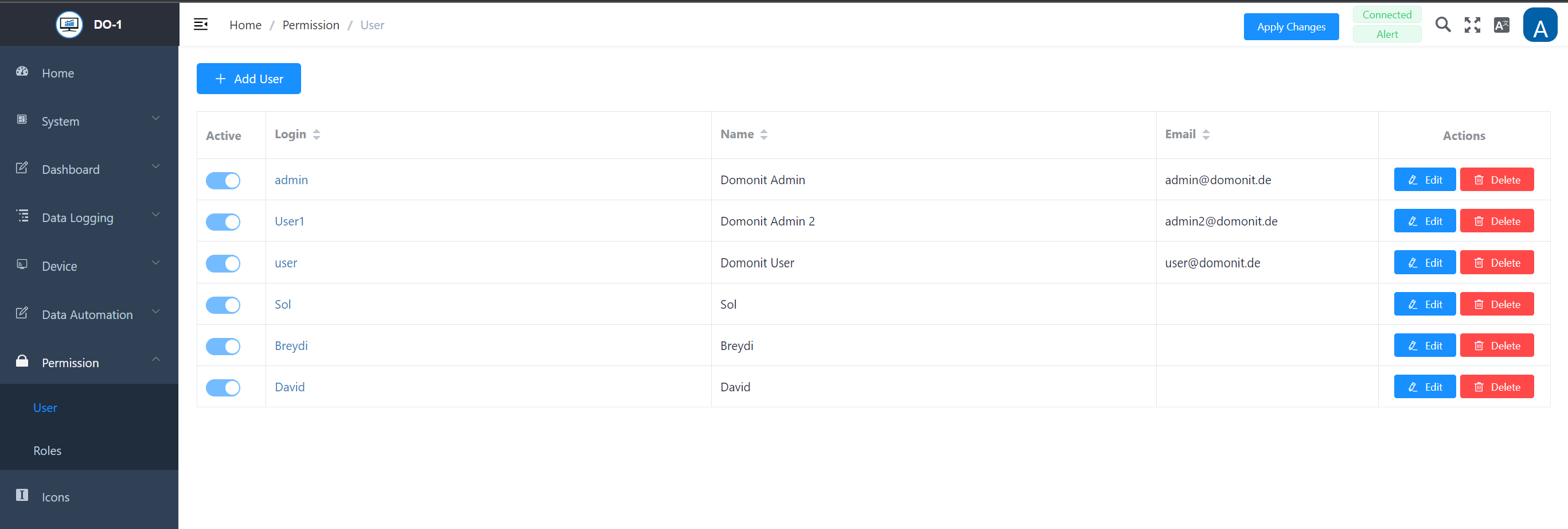
Add User
Clicking the Add User button opens an input screen in which all the necessary information for a new user can be entered. The upper section contains the user data, while the lower section contains the default settings for the evaluation view for the start page, the user role and the authorizations of the respective user.
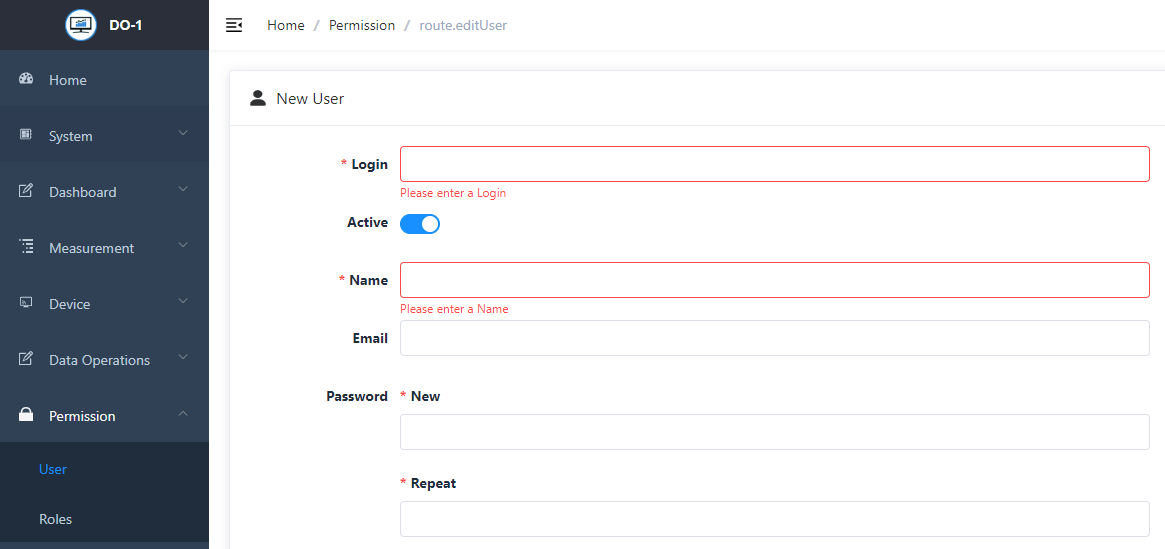
New User- Settings
| Field | Description |
|---|---|
| Login * | Enter an individual login name for the user |
| Active | Activation/deactivation by means of a digital slider; thus the user is set active or inactive |
| Name * | Enter the name |
| Email * | Enter the corresponding e-mail address |
| Password - New * | Definition of a password, there are no rules for assigning passwords |
| Password - Repeat * | Enter the password again, there are no rules for assigning passwords |
| Home Dashboard | A home Dashboard can be pre-selected from existing dashboards |
| Language | A default language can be selected for the user (English/German/Spanish) |
| Roles | From the “Available” box, select the corresponding role and add it to the “Selected” box by clicking the arrow button to the right |
| Permissions | From the “Available” box, select the corresponding permission and add it to the “Selected” box by clicking the arrow button to the right |
Note: All fields marked with * are mandatory.
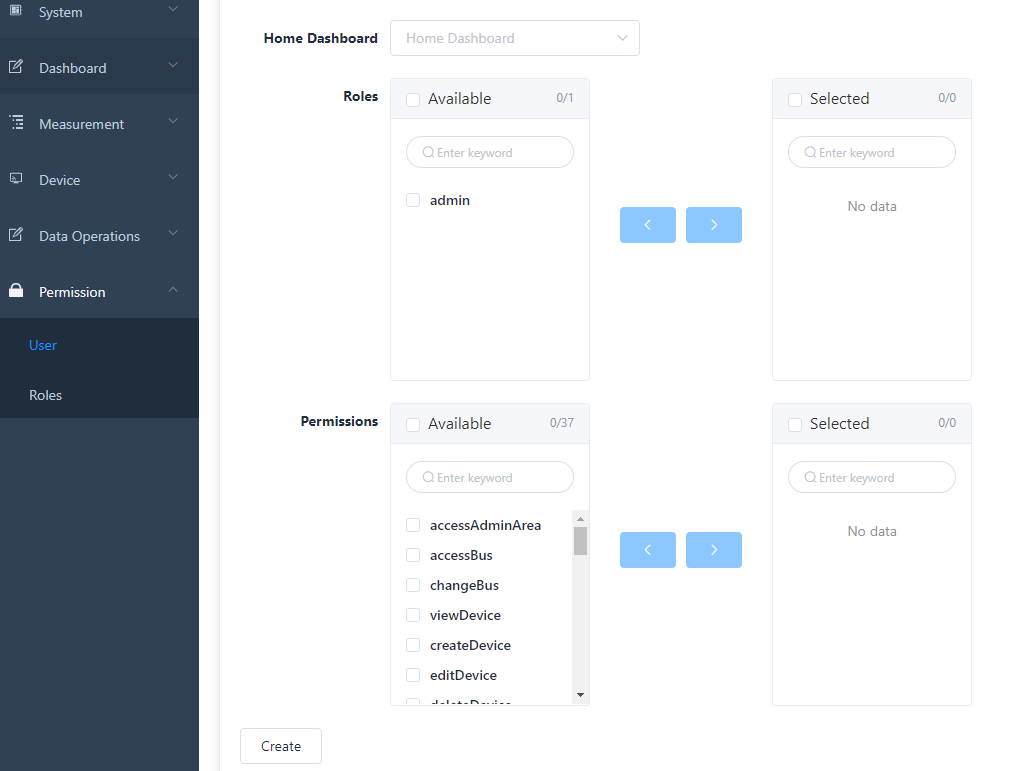
Click on Create to save all user settings.
Roles
Clicking on the menu item Roles takes you to the overview page of the roles in the system. The Admin role is preset by default. The administrator is responsible for the settings and changes to the DO-1 and can assign specific roles with individual permissions here. The admin role cannot be changed.
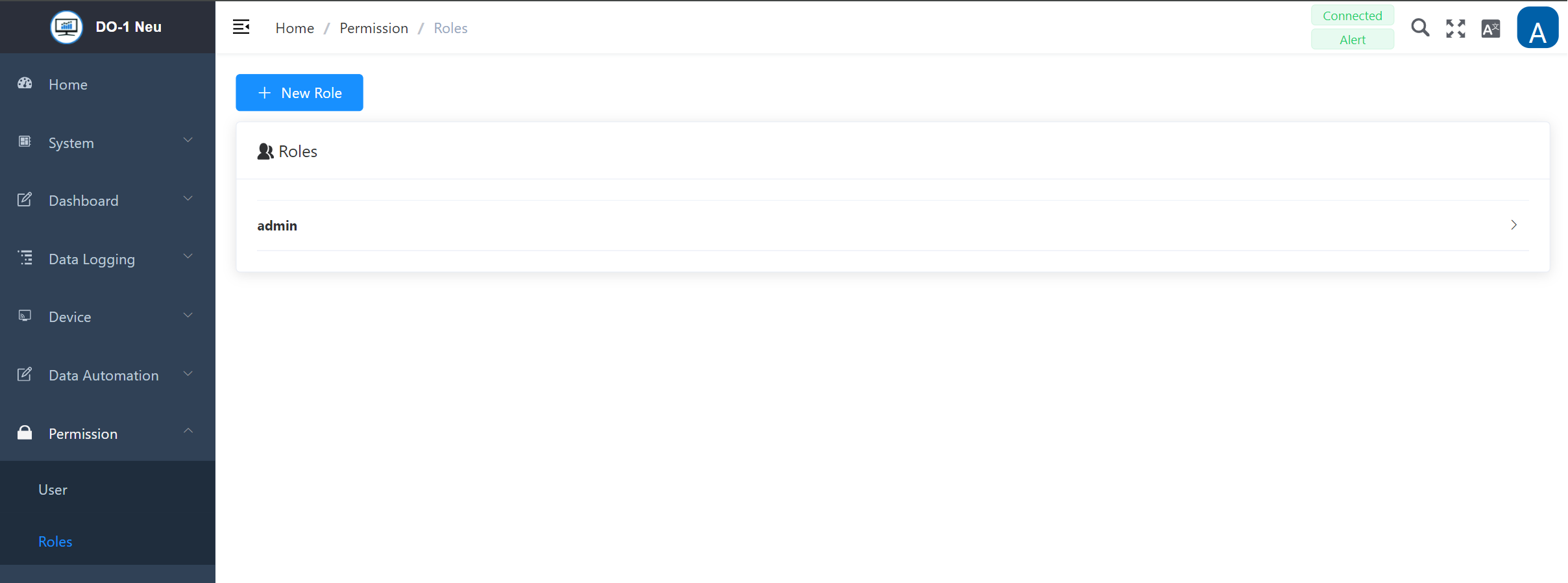
Add new role
Clicking on Add role opens an entry screen in which all the necessary details for a new role have to be entered. The available permissions are displayed in the “Available” box and can be assigned accordingly.
New role - Settings
| Field | Description |
|---|---|
| Name | Enter an individual login name for the user |
| Description | Activation/deactivation by means of a digital slider; thus the user is set active or inactive |
| Permissions | From the “Available” box, select the corresponding permission and add it to the “Selected” box by clicking the arrow button to the right |
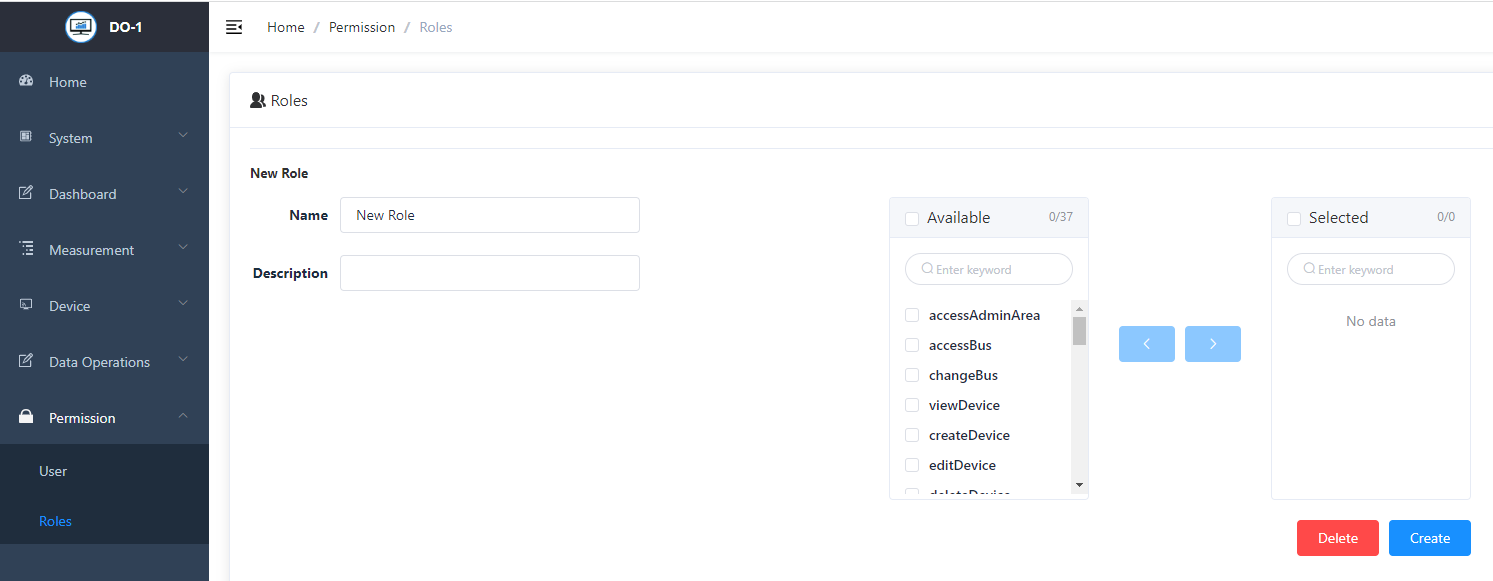
Click on Create to save all entries. Click on Delete to erase the entries.
If a role needs to be edited, just open the role by clicking on it and save the entries by clicking on Save.